Charging speed depends on the charger, the cable and the phone. These six checks make the biggest difference.
1. Match the charger to your phone
Check which fast-charging standard your phone supports (most current phones support USB Power Delivery) and use a charger that offers it. A charger with more watts than your phone needs is fine, because the phone draws only what it can take.
2. Use a cable rated for the job
Use a good-quality cable rated for the wattage you want. A cable rated for less will limit charging speed.
3. Plug into the right port
On multi-port chargers, power is shared between ports. Use the port with the highest rating, and charge one device at a time when you need speed.
4. Keep the phone cool
Phones slow charging when they get warm. Take off a thick case, keep the phone out of direct sun and avoid demanding apps while charging.
5. Reduce what the phone is doing
Low power mode or airplane mode reduces the load while the phone charges, so more of the power goes into the battery.
6. Expect it to slow near full
Most phones charge fastest between low and about 80 percent, then slow down to protect the battery. This is normal.
Chargers in the melux range
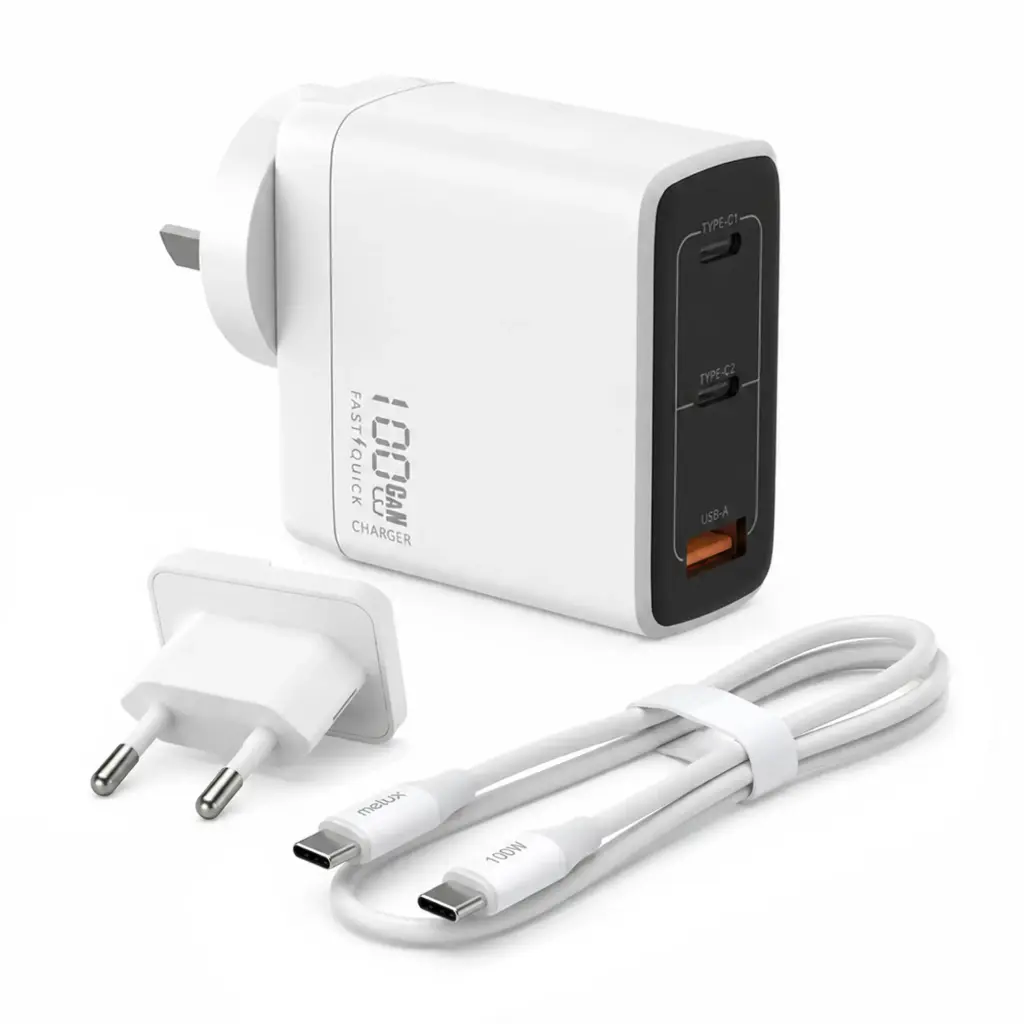
- ePower 10: 100W, 3 ports (2 USB-C and 1 USB-A), Australian and EU plugs, 100W cable included.
- ePower 6: 67W dual-port charger (USB-C and USB-A) with a 1m USB-C cable.
See also our guides to GaN chargers and wattage and USB-C cables.
Ordering from melux
- Free shipping over $99 across Australia, dispatched from Melbourne, normally within 2 to 3 business days.
- 12-month limited warranty on melux products (see the Warranty page).
- 30-day change-of-mind returns for items that are unused and unopened (see our Return policy).
- Questions? Email [email protected] or call 1300 636 600 (Mon to Fri, 9am to 5pm AEST).

How to Charge Your Phone Faster: Charger, Cable and Settings